Obsidian digest: October 2026
October was a big month: three new plugins, a handful of features in the ones you may already use, and a fresh set of tools for people who write plugins themselves.
New plugins
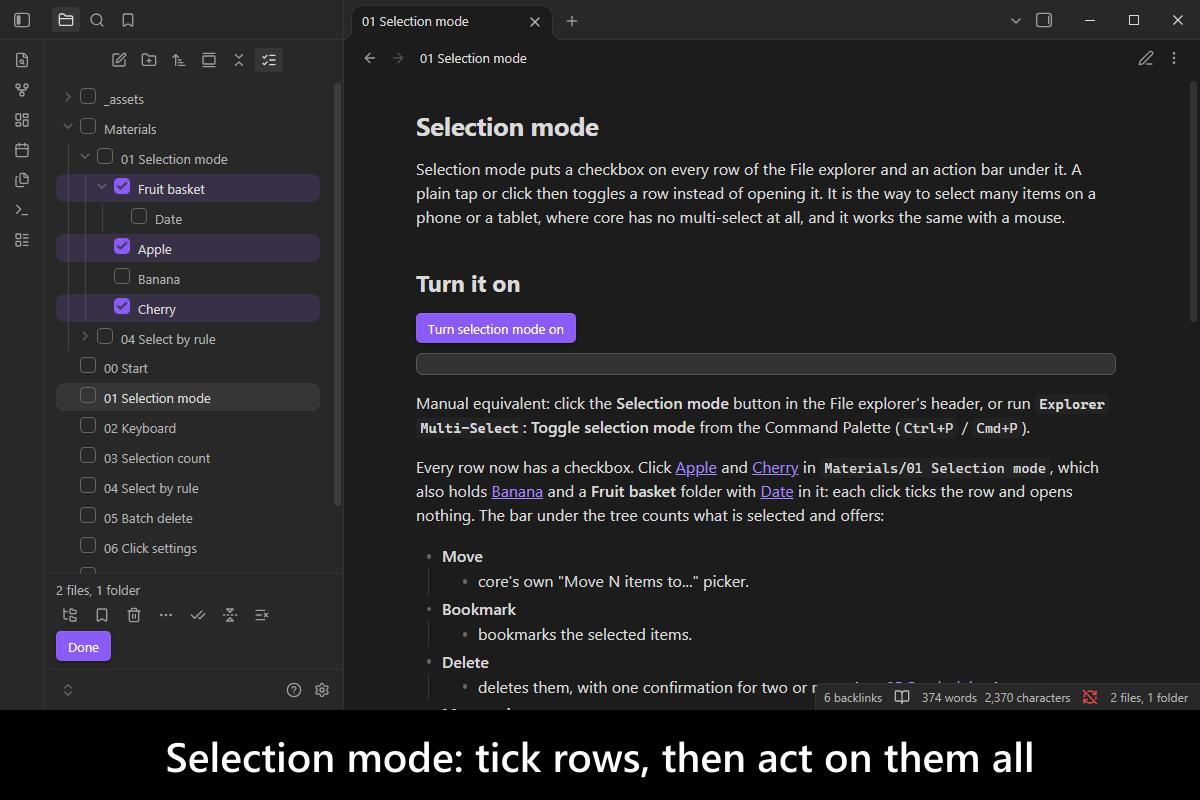
Explorer Multi-Select
Select many files and folders in Obsidian’s own File explorer and act on them all at once: tick boxes on a phone or tablet, the keyboard keys desktop was missing, and commands that select by extension, glob or property. Delete the lot with one confirmation. Version 1.1.0 adds Shift+Space and a Clear selection button.
Labelled Links
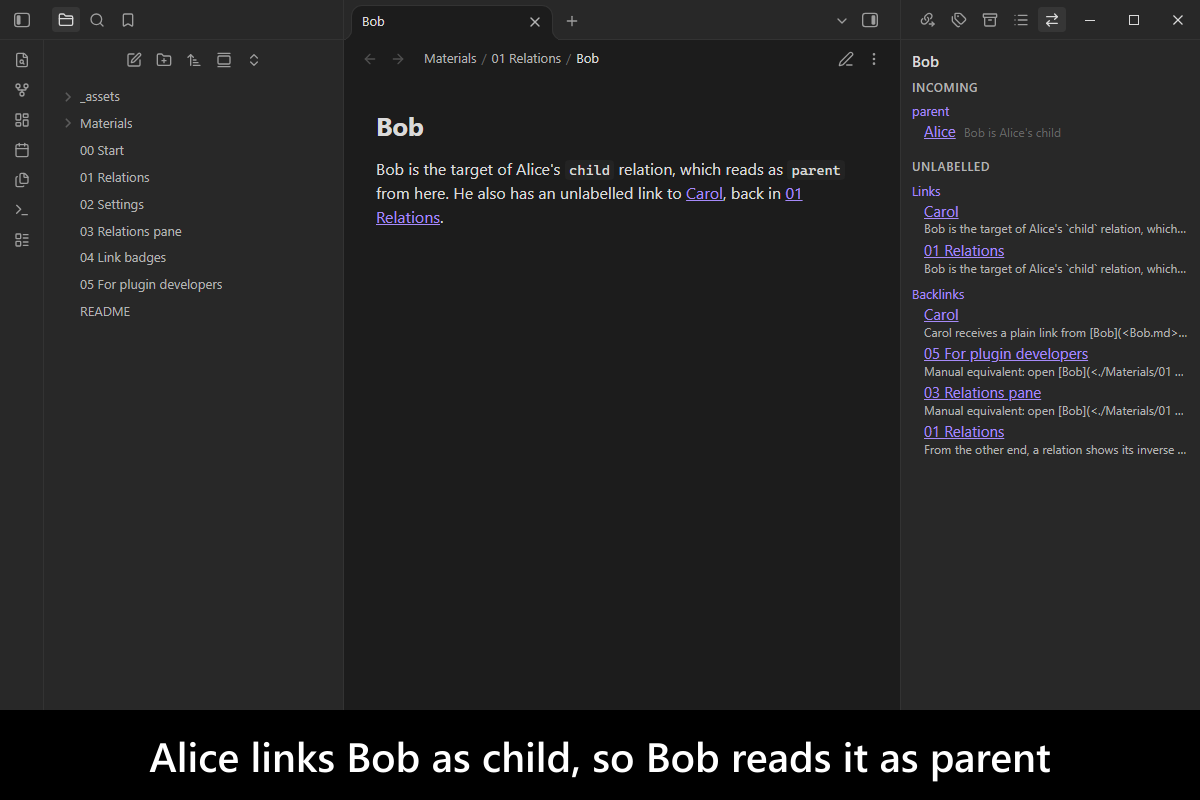
Say what a link means. Links you already write as child:: [[Bob]], or as a child property, show their relation as a badge on the link, and Bob’s note reads the same link as parent. A pane lists every relation of a note, both ways. Nothing is written into your notes. Version 1.1.0 adds hidden labels, written as [[Bob]]%%:child%%.
Sibling Notes
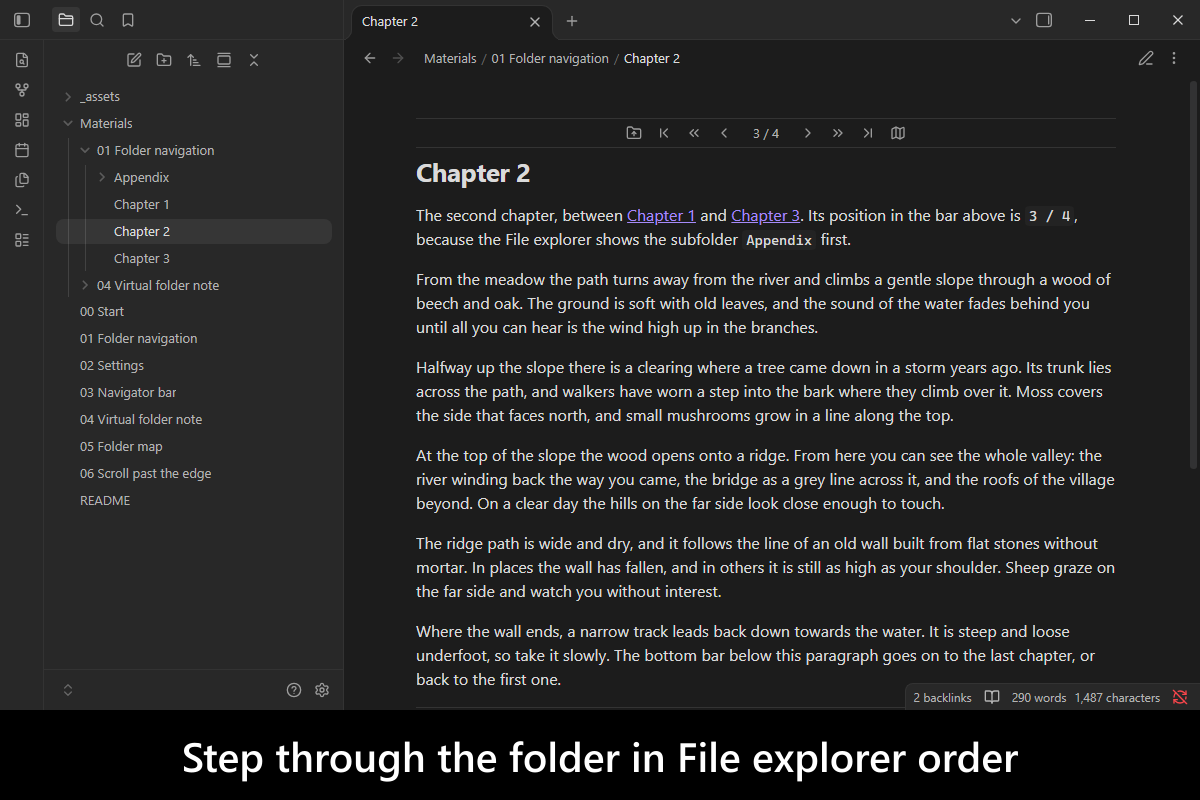
Read a folder of notes in order (chapters, lessons, days of a trip) without going back to the File explorer for every step. Previous and next bars sit above and below the note, and a folder map shows where you are. Version 1.1.0 moves to the next or previous note when you scroll past the edge.
New in existing plugins
Advanced Exclude: switchable profiles
Keep several named sets of hidden files, say “Work” and “Focus”, and switch between them from the status bar. Each device picks its own active set, and one set can build on another, or on any file of patterns in your vault, such as .gitignore, through @import.
Advanced Note Composer: sort sections
Sort a note’s sections at one heading level alphabetically, by when each was created or last edited, or in reverse, instead of dragging them one by one. Sorting by time uses the heading timestamps from Advanced Metadata Cache.
Custom Attachment Location: merge duplicates, name by content
Collecting attachments can now merge byte-identical files into one (opt in), and the new {{attachmentFileHash}} token names an attachment by a hash of its content, so the same image pasted twice is easy to spot.
Advanced Metadata Cache: faster Unlinked mentions
The Backlinks pane’s Unlinked mentions section now fills from a saved index instead of reading every note, so it stays quick in a large vault and lists exactly what it listed before.
Advanced Debug Mode: debug messages by checkbox
Turn any plugin’s debug messages on or off by ticking it in a list, or with a command, instead of typing the window.DEBUG.enable(...) line a README tells you to paste into the console.
Undo a whole bulk run, and report a bug from inside Obsidian
Bulk commands in Consistent Attachments and Links and Custom Attachment Location can now save each run as its own git commit (an opt-in setting, on desktop, for a vault kept in git), and an undo command lists the runs and reverts the one you pick. The same releases, and Advanced Debug Mode, add a Report a bug command that opens the plugin’s issue form with your Obsidian, installer and plugin versions already filled in.
Consistent Attachments and Links 5.3.0 · Custom Attachment Location 17.1.0 · Advanced Debug Mode 1.15.0
For plugin developers
create-obsidian-plugin: start a new plugin, or bring an existing one up to date, from modern templates with onenpm create @mnaoumov/obsidian-pluginwizard, which can also install dependencies, rungit initand create the GitHub repo. Repo · 1.0.0obsidian-dev-toolkit: one dev dependency to build, lint, test and release a plugin. Since 3.0.0 it builds with esbuild, vite, rollup, webpack or parcel, supports React, Svelte, Vue and Tailwind, and ships ready-made CI and release workflows. Repo · 3.0.0obsidian-lib: the runtime library for plugins: base classes, settings tabs, modals, and vault, metadata-cache and link helpers. Together with the toolkit it replaces the retiredobsidian-dev-utils. Repo · 1.0.1obsidian-dataview-types: TypeScript types for calling Dataview that compile in your project, with workinggetAPIandisPluginEnabled. Repo · 1.0.0More Events: add items to dozens of context menus Obsidian’s API does not expose (canvas, bookmarks, PDF, Bases, callouts, table cells, the ribbon, the File explorer root) by subscribing to a named, typed event instead of patching internals. 1.3.0