Obsidian digest: September 2026
September brought five new plugins, a few features in existing ones, and one new building block for plugin authors.
New plugins
Advanced Markdown Export
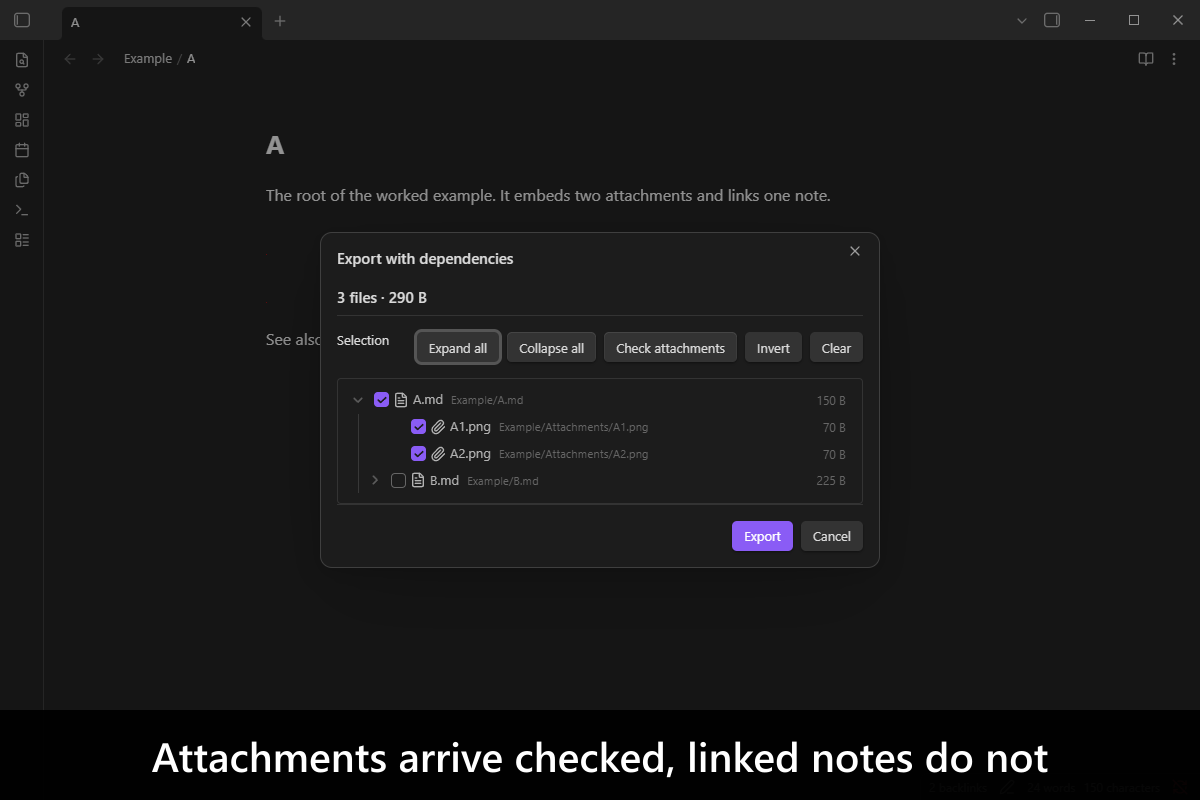
Send a note to someone without it arriving broken. The export walks the note’s images and links and shows them as a tree of checkboxes: attachments come in ticked, linked notes do not, and ticking a linked note brings in its own attachments. Start from one note, a selection or a whole folder, and get a folder or a ZIP whose links still work.
Advanced Metadata Cache
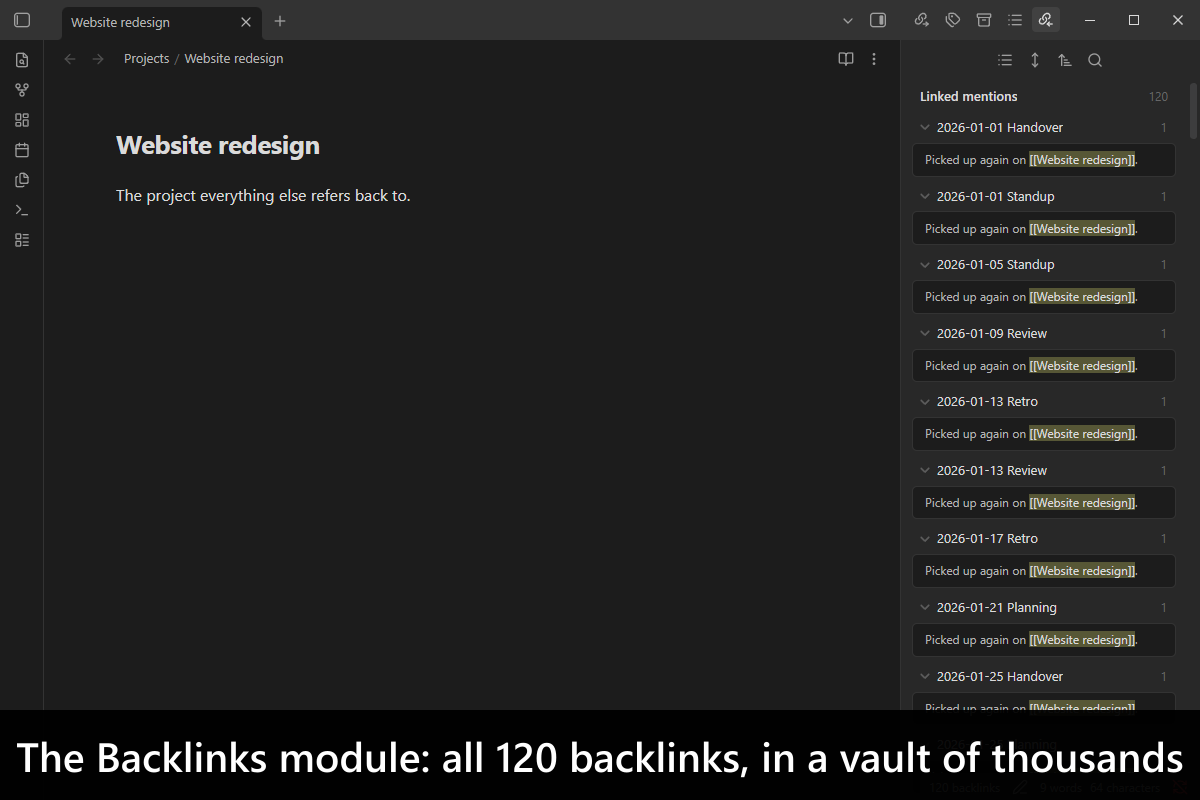
Keep the Backlinks pane and the [[ link suggestions quick in a large vault. They answer from indexes kept up to date instead of rescanning every note each time. A title property can also name a note, and the [[ suggestions can offer notes by that title (opt in). It is the successor to Backlink Cache.
Alias Quick Switcher
Find a note by a path written with aliases. Obsidian’s Quick switcher matches either the real path or an alias, never a mix, so Alpha/Delta/Echo finds nothing when Delta and Echo are aliases. This switcher matches each part of the path by its real name or its alias, with a folder’s alias taken from its folder note.
File Bundles
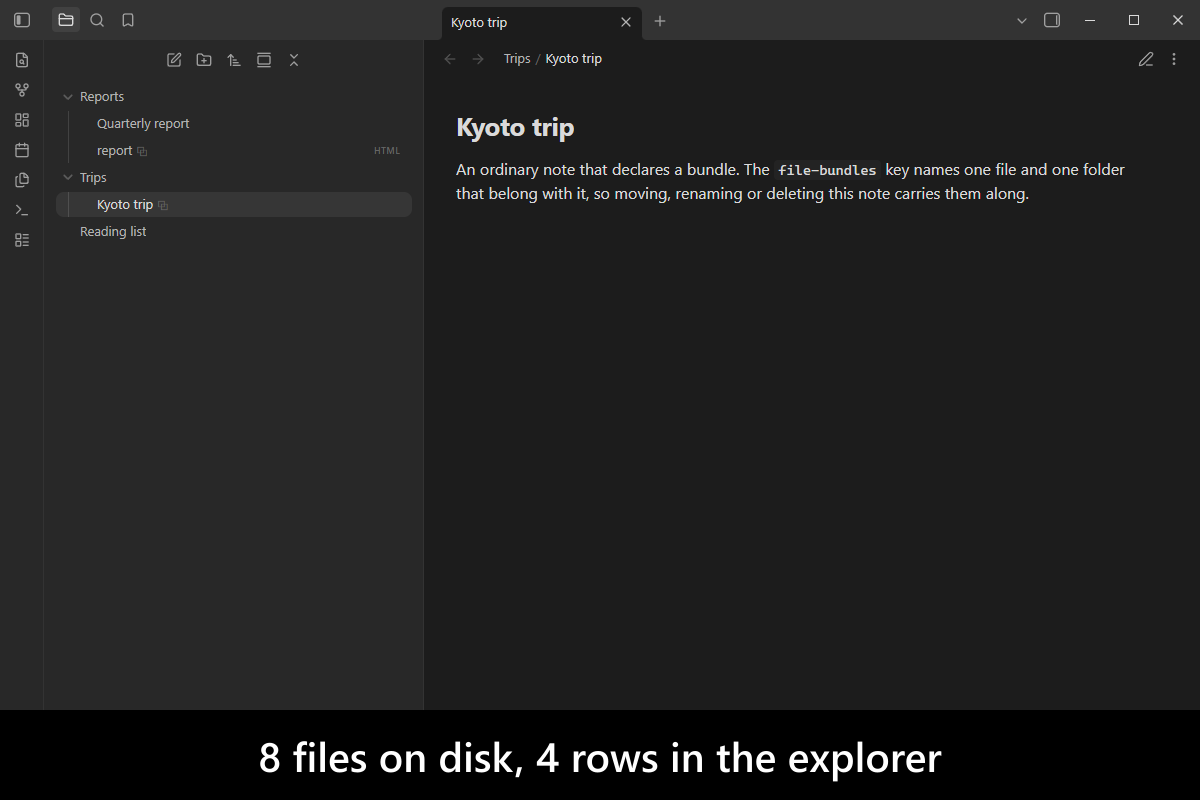
Keep files that belong together together. A note lists the files and folders that go with it (an HTML file, PDF or image gets a small sidecar note to do the same), and the bundle then moves, renames, duplicates and deletes as one. Its other files stay hidden in the File explorer behind the main file until you unlock it.
Preserve Frontmatter Formatting
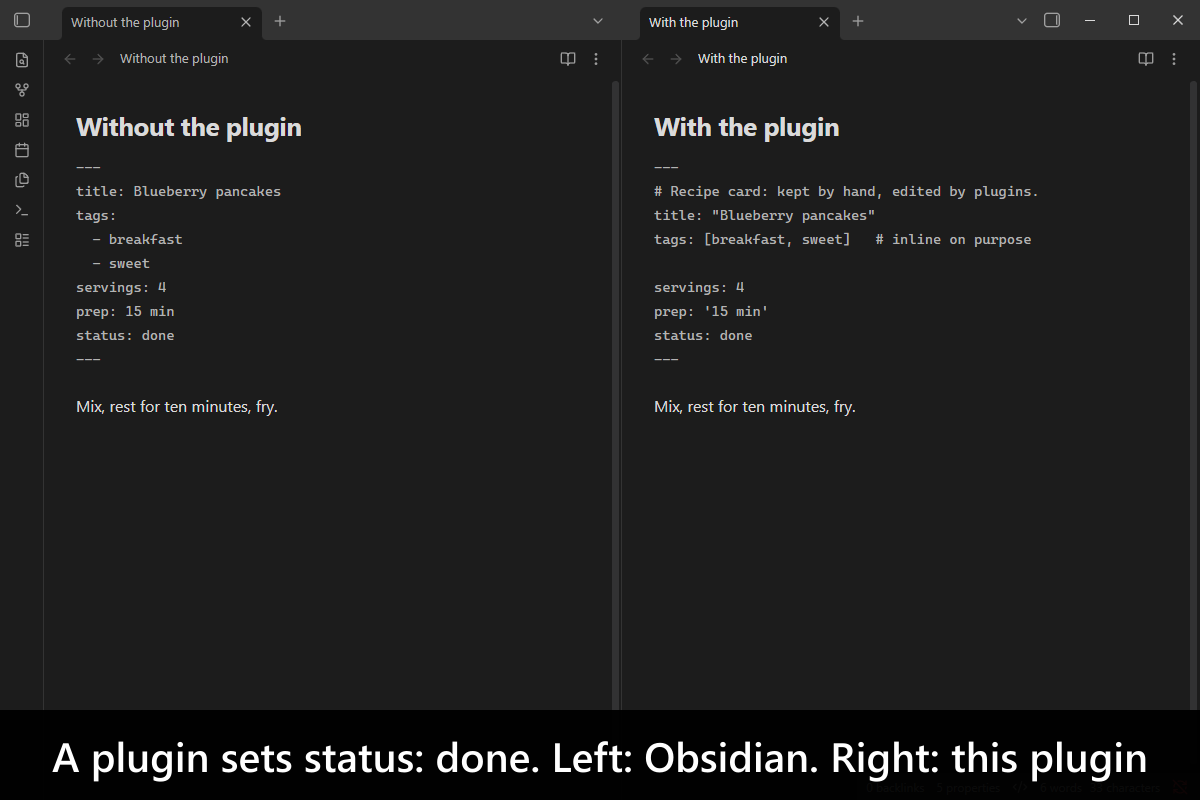
Keep a note’s properties the way you wrote them. When a plugin changes one property, Obsidian rewrites the whole front matter block, so comments disappear, quotes are dropped, blank lines go and inline lists such as [a, b] are expanded. With this plugin, only the property that changed is rewritten, and a change that changes nothing writes nothing. There are no settings.
New in existing plugins
Embed HTML: embed web pages
Embed a page from the web or your local network inside a note by its address, with the syntax you already use: ![[https://host/page.html]]. It shows as an isolated page that keeps its own styles and scripts.
Consistent Attachments and Links: paths every device accepts
Find and repair, in bulk, the file and folder names that another device you sync to would reject (Windows, Android, Linux, macOS or iOS), without breaking a link. The consistency report also lists attachments that sit outside their note’s attachment folder, with a setting for shared folders that any note may use.
Advanced Note Composer: move headings anywhere, keep the numbering
Reorder headings can now move a heading under a different parent heading, not only within its own. If you number your folders and notes (1. A, 2. B), splits, moves and flattens continue that numbering, and headings can be numbered the same way.