Hi folks
Adobe Lightroom Classic CC is my favorite photo organization software but its support for video files metadata is pretty limited.
Today I want to talk about how to update the Capture Time of the video file.
We can do it manually if we modify just one file.
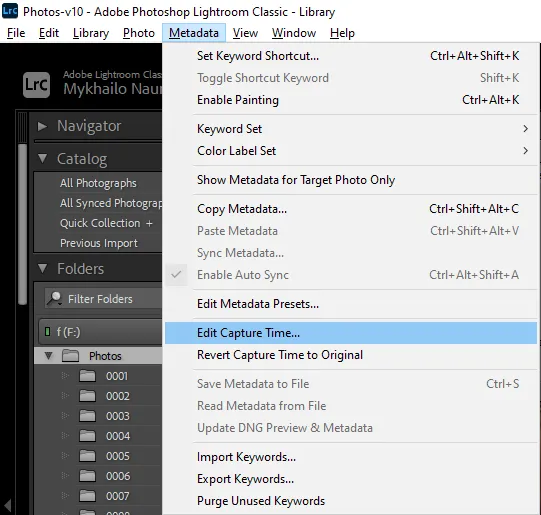
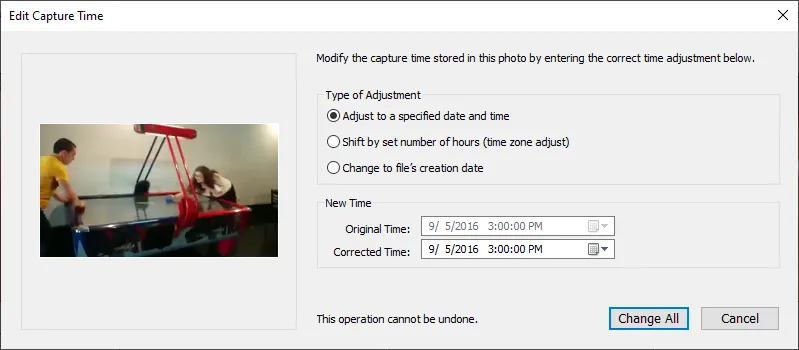
We can select multiple files and invoke the same Edit Capture Time functionality but it is almost never the desired result as it just calculates the difference between previous time of one selected file and newly set time and applies this difference to all selected files.
So it’s much easier to to do that outside of the Lightroom. E.g., using ExifTool
exiftool -DateTimeOriginal=2021:05:22:12:34:56 path/to/video1.mp4
exiftool -DateTimeOriginal<FileName -dateFormat "%Y-%m-%d-%H-%M-%S". path/to/2021-05-21-11-22-33.mp4
...
So we’ve got bunch of files with updated DateTimeOriginal which we would like to import back to Lightroom Unfortunately Lightroom’s Read Metadata from File doesn’t work for video files.
There is an awesome plugin jb Video Metadata that was made to improve the missing Read/Save Metadata for video files. But due to the Lightroom SDK limitations setting dates via plugin is not possible.
I found two ways to achieve the desired result
Method 1. Remove and Reimport
1. Save All Metadata to the File Using jb Video Metadata Plugin
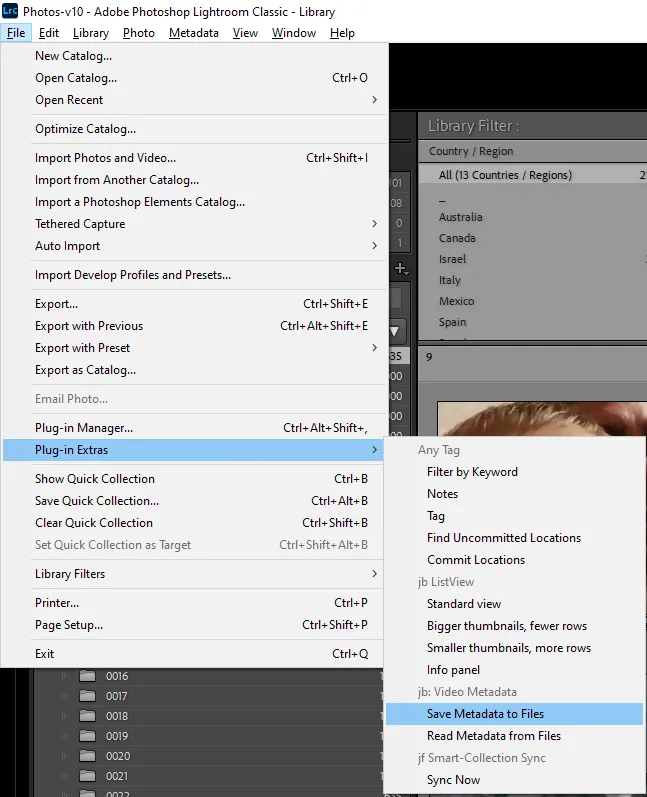
2. Remove the File From the Lightroom Catalog
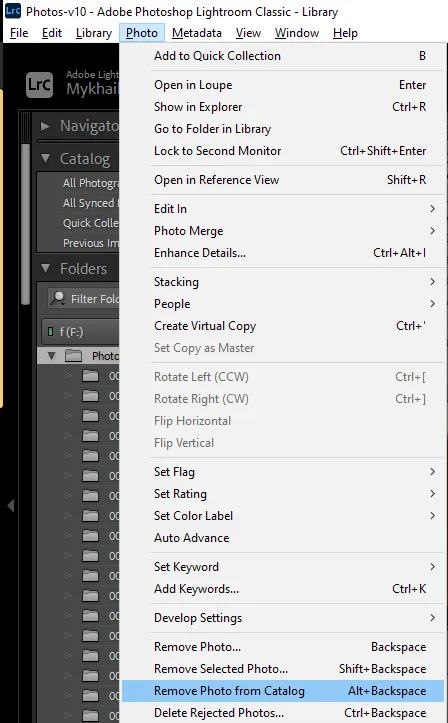
3. Then Reimport Them Back
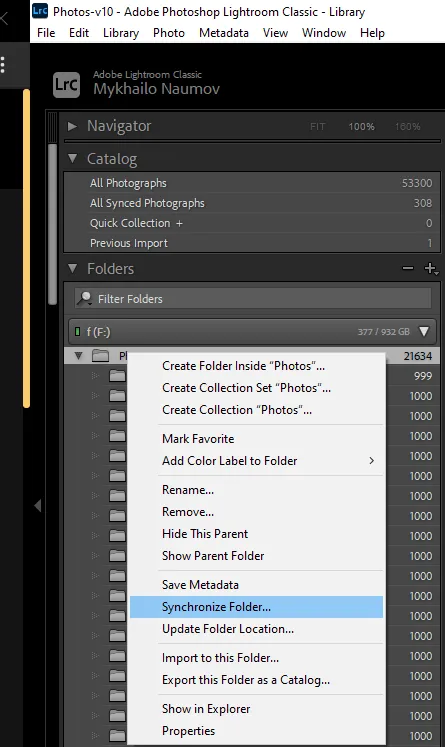
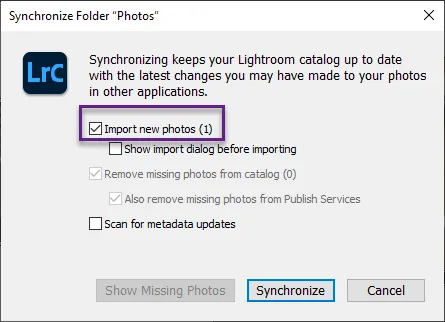
However, this method has an issue. Not everything can be stored in the file metadata. So with this method it something can be lost. For example, your Collections (Lightroom’s term for Albums) containing the processed video files, won’t readd those files back.
Method 2. File Creation Date
1. Save Capture Time to FileCreateDate
exiftool -FileCreateDate<DateTimeOriginal path/to/video1.mp4
2. Import in Lightroom
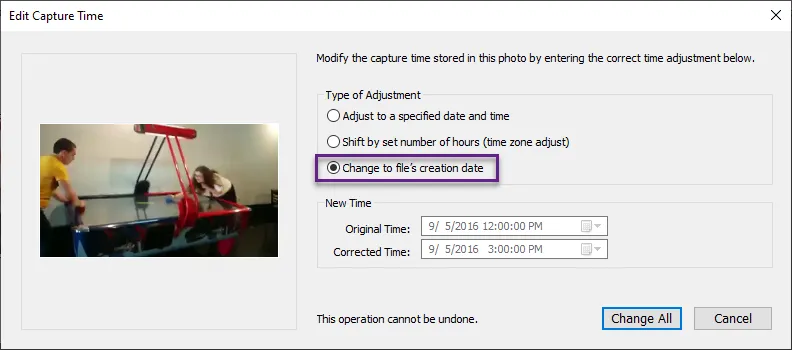
This can be done in bulk and doesn’t have any shortcomings.
Stay tuned.