Hi folks
I am going to describe step-by-step how I’ve managed to download all my data from Facebook regardless of what Facebook team wanted…
I have zillions of posts, reposts, comments, etc. That’s what I consider to be MY content and I would like to have the easiest access to it possible
Chapter 1. Activity Log
I use Facebook as my primary social network account. I post everything there and I’d like to treat it as my personal blog. Unfortunately Facebook itself doesn’t agree with me. Sometimes it is ridiculously difficult to find something you’ve posted a while ago.
Yeah, they have thing like activity log https://www.facebook.com/YOUR-PROFILE-NAME/allactivity with the search box. Well, it kinda works, but it doesn’t find everything.
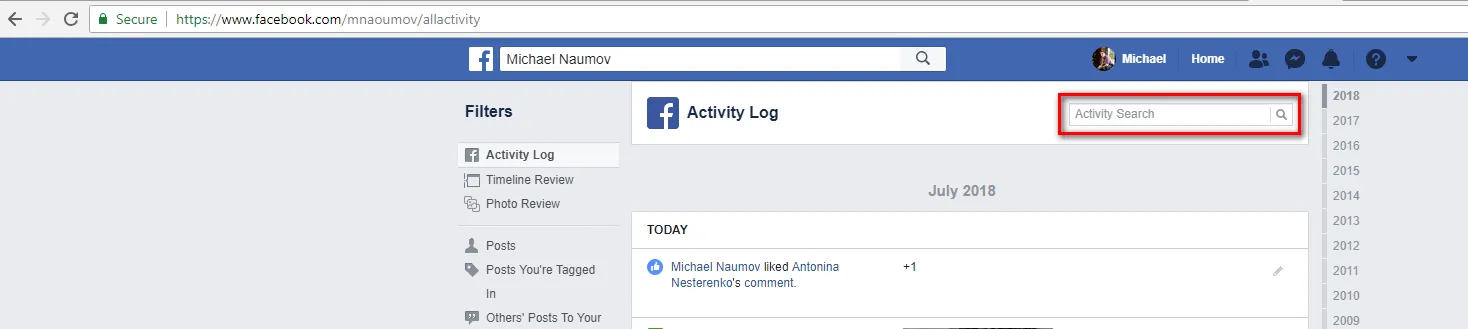
(A minute of self-advertisement, I have a huge hobby of collecting look-a-likes, and I post zillions of them in my Instagram account https://instagram.com/mnaoumov/ with hashtag #likeness)
Previously I was not posting into Instagram, I posted only to Facebook and recently I wanted to move all of them into Instagram. So I’ve opened my activity page and searched for #likeness First of all, annoying multi-step More search results
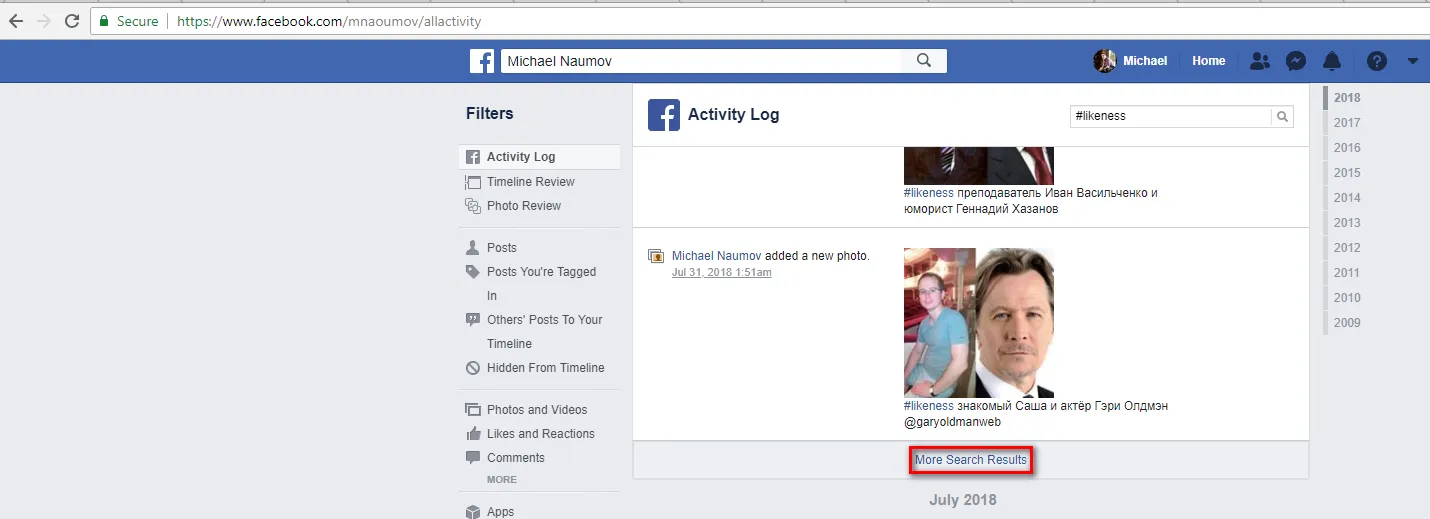
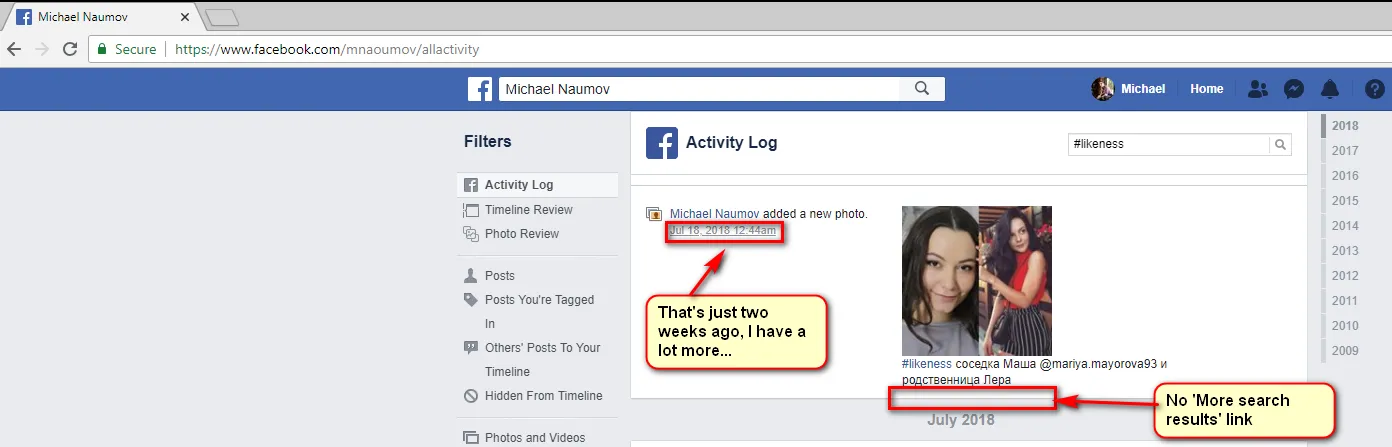
Secondly and more importantly, it did not find all of the posts, it just found some and even More search results disappears
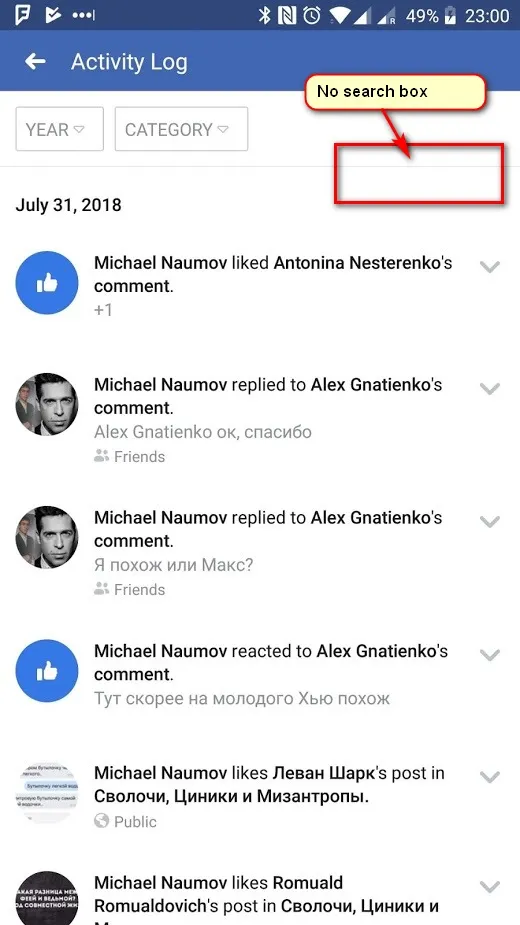
Another problem with activity log, it works only from PC. Facebook app on the phone doesn’t have a search box for activity log.
In order to get it from phone I go to mobile Chrome browser, type www.facebook.com, open Chrome menu and set checkbox for Desktop site.
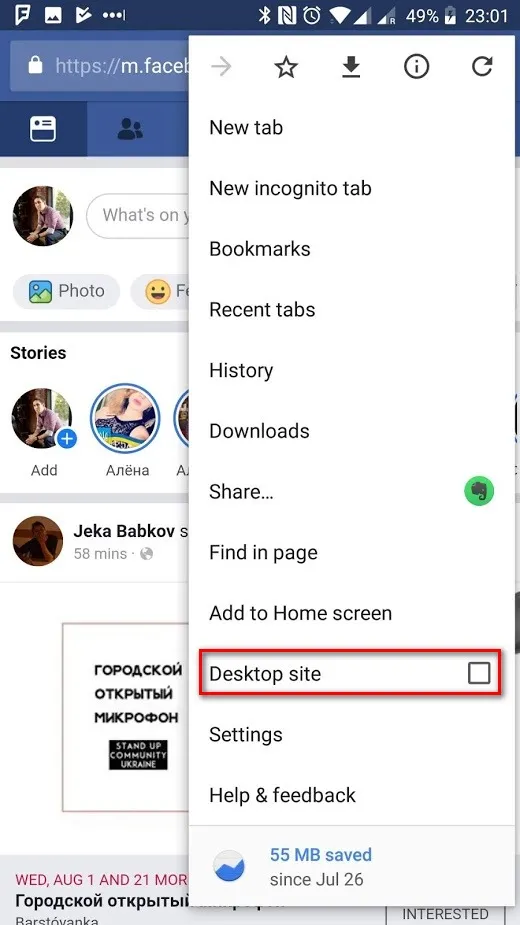
Then I can go to activity log and get a search box.
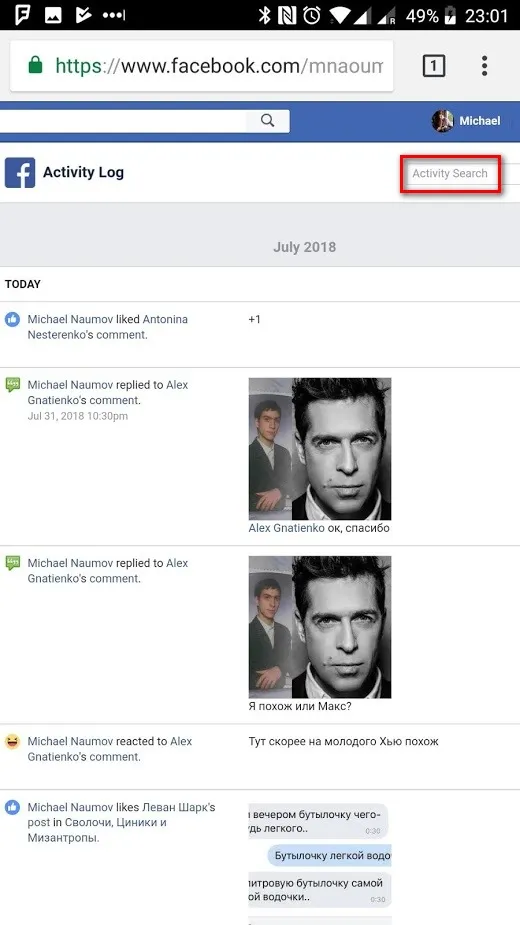
But again, the problem that it doesn’t search for all the content, anyway
Chapter 2. Official download of content
You can request to download your content from https://www.facebook.com/settings?tab=your_facebook_information and it kinda works, you download nearly everything
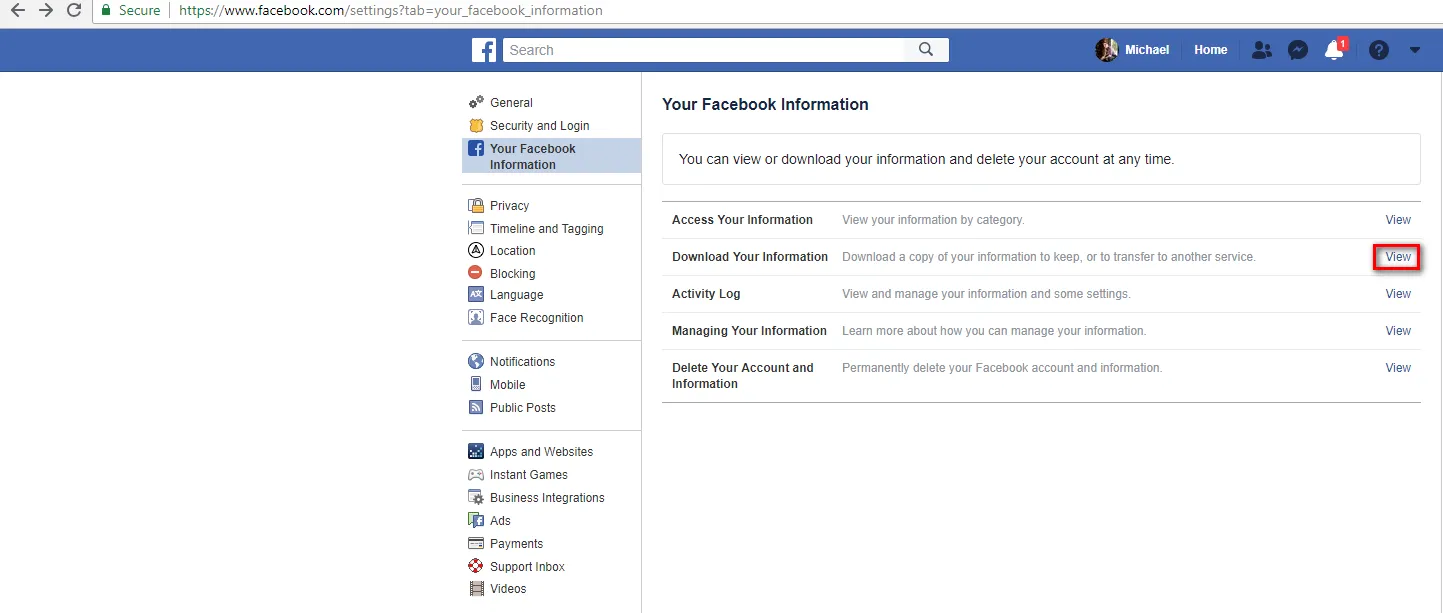
However it is not perfect

Oh great. I shared a post. Which one?! Such a pointless information. This is pretty annoying, I wish I had at least a url for the post I shared…
Chapter 3. Graph API
OK. I am a programmer, actually. Why not just write a program to save everything I need?
Yes, I tried, https://developers.facebook.com/docs/graph-api/ and it kinda works but this requires a lot of effort of using proper API, parsing JSON, downloading images etc… Too complicated and not very useful after all. Why would I need to write a program to scrape my own data?! Facebook, are you kidding?!
Chapter 4. Semi-manual scrolling and scraping
OK, considering all of the options we tried so far, the most useful data is in the Activity Log from Chapter 1. If only we could export it all…
It has this annoying dynamic scrolling, so in order to get all of your content, you scroll-scroll-scroll…
So basically I ended up with the solution that finally worked for me. It required Web ScrapBook Chrome extension https://chrome.google.com/webstore/detail/web-scrapbook/oegnpmiddfljlloiklpkeelagaeejfai?hl=en
And also it required some JavaScript to be executed on the https://www.facebook.com/YOUR-PROFILE-NAME/allactivity to simulate that dynamic scrolling.
My initial idea was to scroll till the end and save the whole activity log in one. But that’s a bad idea. Firstly, the more data you loaded, the slower next load is. Secondly, if page becomes too big, Chrome just crashes
Thirdly, even if Chrome not crashes during scrolling, it might crash on Web ScrapBook extension.
So we’ll have to save the activity log by portions. You can switch between years
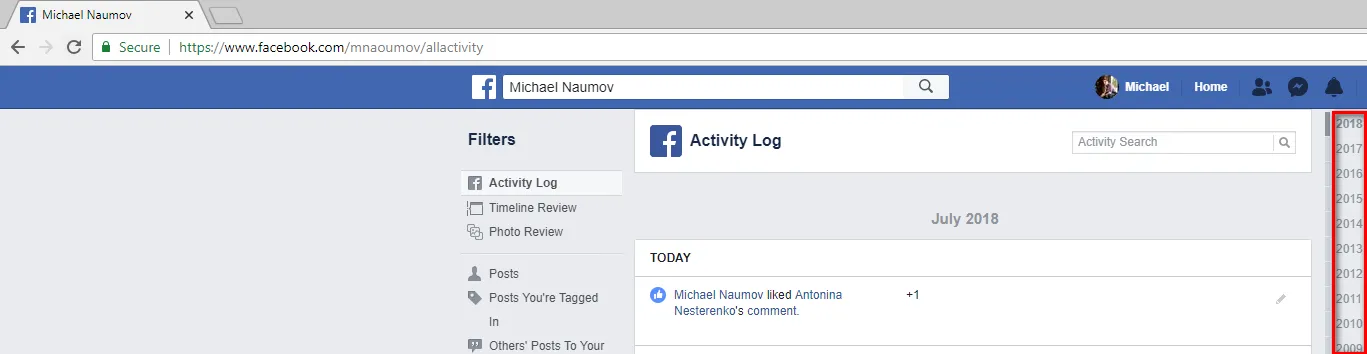
So initially I tried to load one year at a time but it’s still too big and Chrome crashes.
Investigating the HTML of that page I found that actually there is also an invisible month selector. So I made use of it.
I’ve written a JavaScript function that scrolls to the specific year and month and keep scrolling until page size becomes 10 Mb. That was a rule of thumb. For 20 Mb and more, it becomes too slow.
const loadFacebookActivity = (year, month) => { const maxSize = 10 \* 1024 \* 1024; const isSelectedNode = node => node.parentNode.classList.contains("_3rrn");

const ensureSelected = node => new Promise((resolve) => { const waitTillSelected = () => { if (isSelectedNode(node)) resolve(); else { node.click(); setTimeout(waitTillSelected, 1000); } };

waitTillSelected(); });

const yearSelectorNode = document.querySelector(`[data-key='year_${year}'] > a`); const monthSelectorNode = document.querySelector(`[data-key='month_${year}_${month}'] > a`);

Promise.resolve() .then(() => ensureSelected(yearSelectorNode)) .then(() => ensureSelected(monthSelectorNode)) .then(() => { const scrollActivity = () => { window.scrollBy(0, 1000); if (document.documentElement.outerHTML.length > maxSize) clearInterval(scrollActivityIntervalId); };

const scrollActivityIntervalId = setInterval(scrollActivity, 500); }); };

loadFacebookActivity(2018, 7);
So it clicks the year selector, clicks the invisible month selector, ensures they became selected, then scrolls until page becomes too big. Then I manually click Web ScrapBook
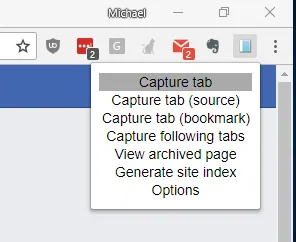
It saves the htz file which is a zip archive of scrapped page, so you can unzip it and run Index.html or alternatively you can open with the Web ScrapBook - View archived page
Then I reload the page and rerun the script just modifying parameter for next required year and month.
It took me about 6 hours to write, debug, rerun the script and I downloaded whole of my Facebook data from 2009 when I registered till now, and it takes 250 Mb archived.
Interestingly that data downloaded in Chapter 2 takes 650 Mb archived so obviously it has higher quality images and all the stuff, but my 250 Mb version contains links to the original content, so I can easily extract it when needed and also it has all the links for stuff like my reposts
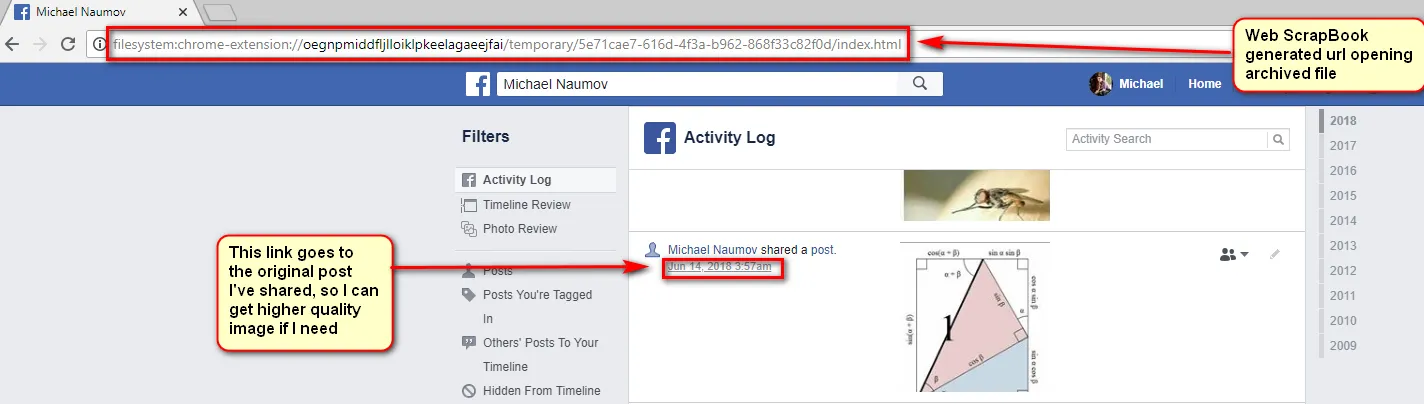
So that’s a complete win!
Stay tuned